Audi A4 Screen Upgrade for B8 3G MMI+ CarPlay | Leadsign

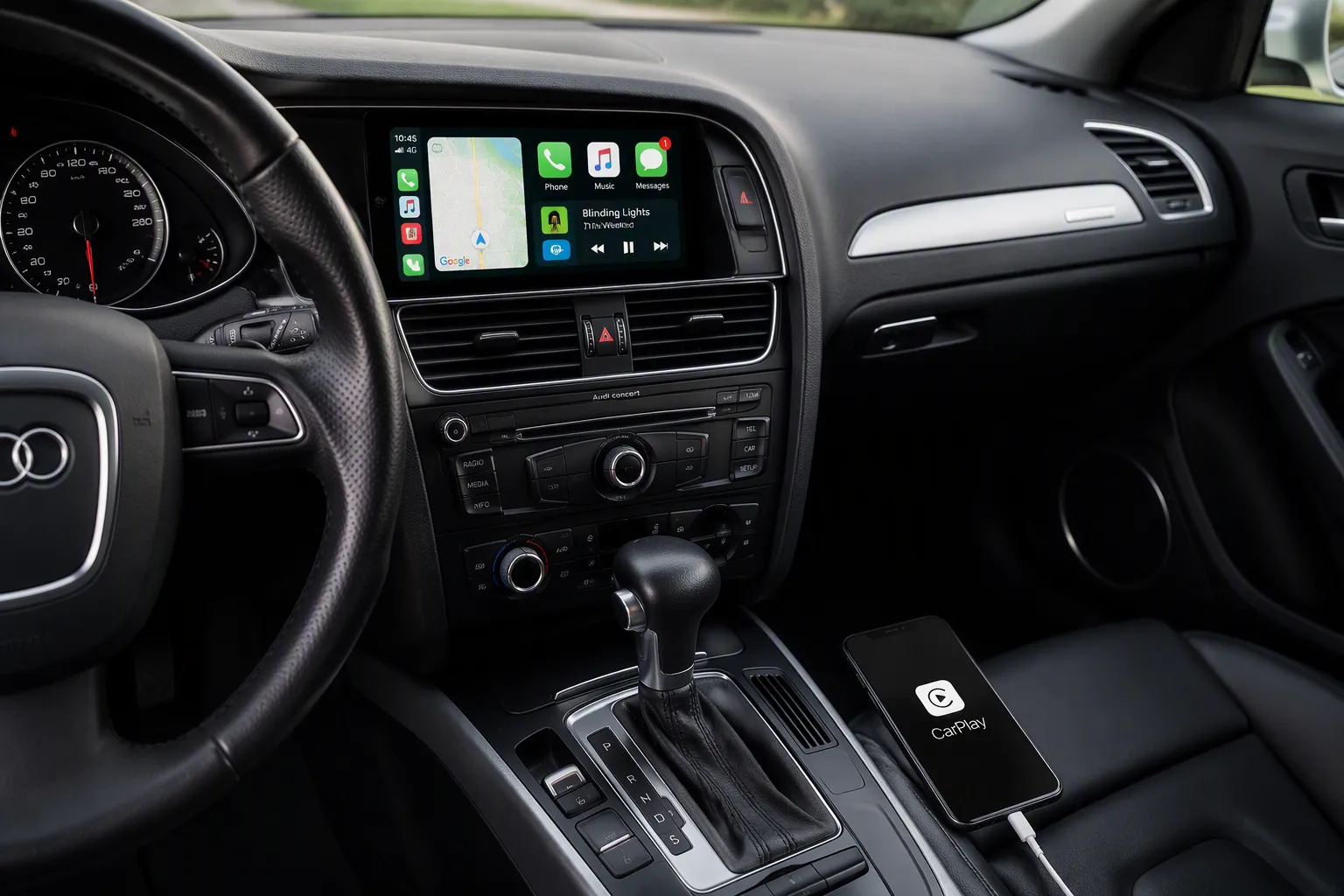
If you drive a B8 Audi A4 with the 3G MMI+ system, a screen upgrade changes your daily drive. You get a sharp 8.9-inch HD touchscreen, a smooth modern interface, and wireless Apple CarPlay. Your original radio, amplifier, and joystick control all stay the same. The system runs on a stable Linux platform, so you won't see lag or freezes.
An Audi A4 B8 Screen Upgrade means you keep factory features while gaining easy smartphone integration. Installation is plug-and-play.
In this article, we break down compatibility, hardware, installation steps, the features you gain, costs, and a few trade-offs. Read on to see if this upgrade suits your Audi.
Key Takeaways
Check that your Audi A4 has the 3G MMI+ system. This upgrade only fits 2009-2015 models with that setup.
Enjoy a clear 8.9-inch HD touchscreen with wireless Apple CarPlay and Android Auto. Keep your original radio, amplifier, and joystick.
Fit the kit yourself using simple tools. The plug-and-play design means you do not need to cut any wires. You can get expert help if you need it.
Get new features like hands-free calling, navigation, and USB music playback. Your original MMI system still works with it.
Think about the cost and risks. The upgrade gives good value, but make sure it works with your car and think about getting a professional to install it for the best results.
Audi A4 B8 Screen Upgrade Compatibility
You own a B8 Audi A4. You want a bigger screen and CarPlay. But does your car actually work with this upgrade? Let's find out before you spend a penny.
Which B8 Models with 3G MMI+ Qualify
This upgrade fits Audi A4 models built between 2009 and 2015. Your car must have the 3G MMI+ system installed. That's the key requirement.
Here's the catch. This screen won't work with Audi Concert, Symphony, or other multimedia systems. Those setups use different wiring and control units. So check your dashboard first. Look at your current screen and menu layout. If you see the MMI+ interface with its joystick control, you're likely good to go.
Not sure? Snap a photo of your centre console and ask a specialist. It takes two minutes. It saves you from buying hardware that won't fit. Trust me, that's a headache nobody wants.
Parts and Software You Will Need
Good news here. The kit comes complete. You don't need to hunt for extra bits online.
The main piece is the 8.9″ Linux touchscreen unit. It replaces your factory display and sits in the same dashboard spot. The package also includes a plug-and-play cable set. These cables match your car's original connectors. No cutting. No splicing. No mess.
A typical Audi A4 B8 screen upgrade kit for this platform often bundles several factory components too. You might see these in a full package:
Multimedia unit with DVD player and 2 SD cards
Radio and amplifier unit
HD 7" LED screen
Control panel around the gear lever
Fibre optic CAN gateway with extended functions
Latest Australian maps and firmware
Video in motion enabled (also called TV Free)
Your specific kit may vary. The core items remain the touchscreen and the cable set.
Now, what about software? Here's something reassuring. This upgrade makes no software changes to your car's control units. Your factory ECU, amplifier, and radio modules stay untouched. The new screen simply works alongside them. That means no dealer visits for coding. No risk of upsetting your car's brain.
You keep your original radio. You keep your amplifier. You keep your joystick control. Everything factory stays factory.
So, compatibility boils down to one thing. Does your A4 have 3G MMI+? If yes, you're set. If no, this particular upgrade isn't for you. Confirm your setup, gather your parts, and you're ready for the next step.
What the New Hardware Includes
The 8.9″ Linux Touchscreen
This upgrade centres on a crisp 8.9-inch display. It pushes a 1920x720 HD resolution. That's a massive step up from your factory screen. Text looks sharp. Map details pop. Even your music album art shows vivid colours you didn't see before.
The unit runs on a Linux operating system. Why does that matter? Linux stays stable. It doesn't crash or freeze during long motorway journeys. You can use CarPlay for hours without any hiccups. Smooth, reliable performance every time.
Here's something you'll appreciate visually. The screen fits right into your original dashboard cutout. You don't get a tablet stuck on your dash. Instead, the display sits flush. It looks exactly like Audi designed it that way. A clean, OEM finish that keeps your cabin looking factory fresh.
Need to play your own media? There's a USB port waiting. Plug in a flash drive with your favourite tracks or video files. The system reads them instantly. Easy entertainment without fiddling with your phone.
Cables, Fitment, and Factory Retention
Now let's cover what stays the same. This kit includes a full set of plug-and-play cables. They match your car's original connectors exactly. You don't cut a single wire. You don't splice or solder anything. It's a direct swap.
Your factory hardware remains untouched. The original radio still works. Your amplifier still delivers its usual sound. The joystick controller on your centre console functions exactly as before. Your reversing camera activates when you shift into reverse, just like it always did.
Camera support goes further. The system works with both your original factory reversing camera and any aftermarket one you might have fitted. It also supports DVR systems. So that dash cam you rely on? Still compatible.
When you look at an AUDI A4 B8 Screen Upgrade, you're adding modern smart features without losing anything you already love. No software changes happen to your car's control units. No dealer coding required. Your Audi stays exactly as it is, just with a smarter, bigger screen in the middle.
Installation: DIY or Professional?
Difficulty, Tools, and Time Required
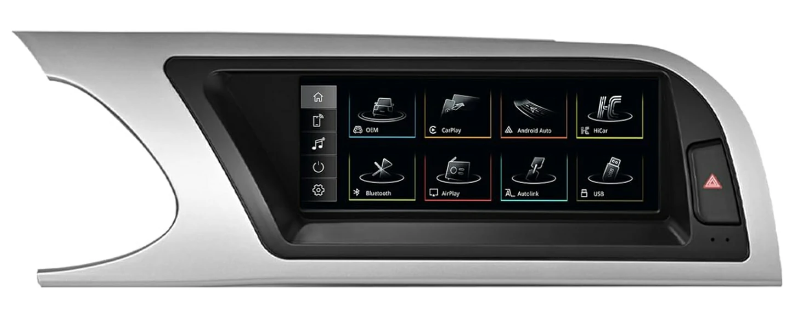
You'll be happy to know this job is simple. The kit uses your car's original cable and a plug-and-play design. You don't cut or break any wires. The package has the touchscreen and all the cables you need. So you won't be searching for extra parts halfway through.
You will need a few basic tools. A 4-piece trim removal tool kit is at the top of the list. Look for one made of non-scratch nylon. These tools safely take off dashboard trim. They help stop scratches and damage to factory parts. They also protect the plastic edges and surrounds that stay in the car. That keeps your interior looking factory-fresh. A clean, careful DIY install is very doable with the right kit.
When to Seek Specialist Help
Sometimes a professional fitter makes more sense. Are you unsure about taking off trim? Do you worry about cracking a panel? Then give the job to someone who does it every day. They'll pop the trim off without a mark.
There's another thing to think about. The install means removing the factory radio, which means taking apart trim, disconnecting the 12 V battery, and connecting the supplied wiring harnesses. That part is manageable. The harder step comes after the hardware swap. Your vehicle's MMI control unit must be reprogrammed. This step can take around 30 minutes. It also needs knowledge of Audi's electronic systems. That reprogramming requirement is the main reason some owners seek professional help instead of going it alone.
If you hit a problem, dedicated support is there to help you. So you're never stuck on your own.
Features and Benefits You Will Gain
CarPlay, Android Auto, and Navigation
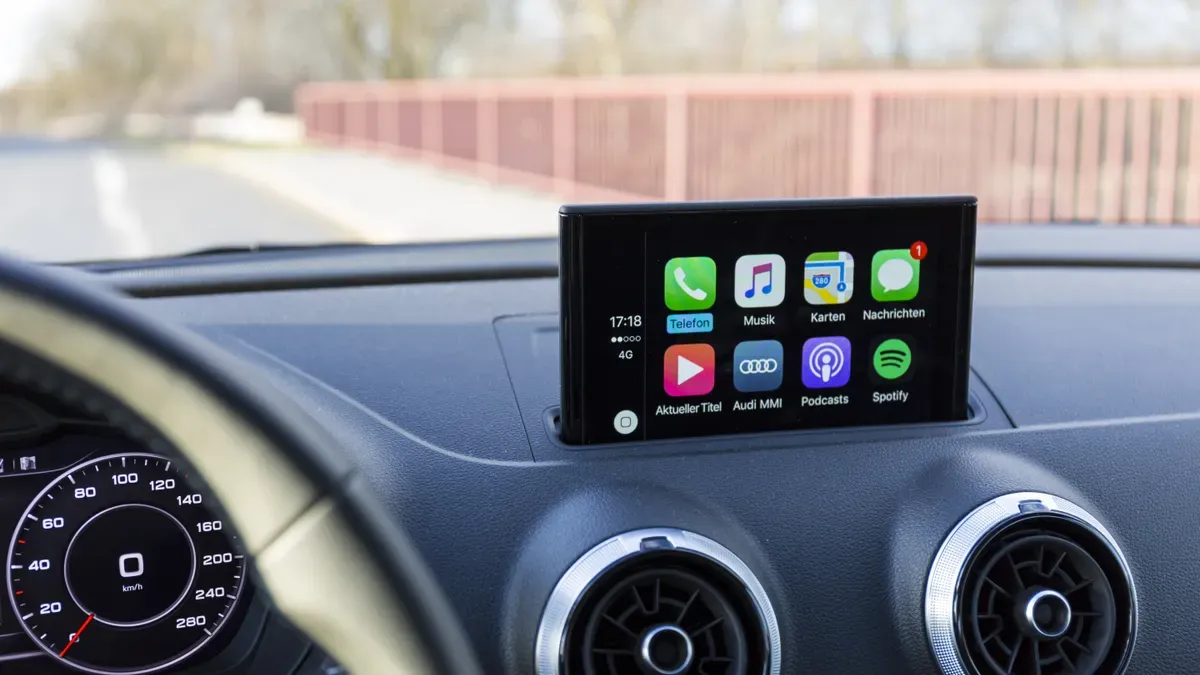
This upgrade puts Apple CarPlay and Android Auto right in your dashboard. You get both wired and wireless connections. That means you choose how you want to connect each time you drive. Plug your phone in for a quick charge and get CarPlay running. Or leave it in your pocket and connect wirelessly. Simple.
Now let's talk about what you can actually do with it. You make hands-free calls using Siri or Google Assistant. You send and receive messages without touching your phone. Your GPS navigation appears on the bigger, sharper screen. Apple Maps, Google Maps, Waze — they all work. You see turn-by-turn directions clearly without squinting. Music flows from Spotify, Apple Music, or your own library. Everything runs through the car's speakers. Siri integration means you keep your hands on the wheel and eyes on the road. Just say "Hey Siri, call home" or "Hey Siri, navigate to the nearest petrol station." The system responds immediately.
Hands-free calling works seamlessly. When a call comes in, the screen shows who's calling. You answer with a tap or a voice command. The call audio comes through your car's speakers. The microphone picks up your voice clearly. People on the other end hear you without echo or background noise. Messaging works the same way. Incoming messages appear on screen. Siri reads them aloud. You dictate replies without typing. Safe and convenient.
After several months of use, this Carlinkit CarPlay adapter for the Audi A4 runs cool, keeps a steady connection, and shows almost no noticeable delay — the user recommends it to everyone.
Stability matters, right? A laggy or dropping connection ruins a drive. But with this setup, the connection holds steady. No buffering mid-song. No dropped navigation routes. You drive and the system keeps up. The adapter runs cool even during long motorway trips. Heat can kill electronics. But this unit stays cool and reliable.
There's more. Mirror link lets you display your smartphone screen directly on the 8.9-inch display. Need to show a passenger something from your phone? Open an app that CarPlay doesn't support? Mirror link solves that. Your phone's screen mirrors onto your Audi's display. Easy access to apps, navigation, or media that live outside CarPlay. You see everything from your phone in a much larger size.
Here's a major point. You don't lose your original MMI system. The new interface runs alongside it. You switch between them whenever you want. Want factory radio? You've got it. Want CarPlay? One tap and you're there. Your joystick still controls the original menus. The touchscreen handles the new interface. Both systems live together without conflict. You get the best of both worlds.
Everyday Improvements to Display and Sound
Now let's look at the daily wins. The 1920x720 HD display makes everything look sharper. Maps show more detail. Album art looks crisp. Text is easier to read. You notice the difference the moment you switch it on. The 8.9-inch size gives you more screen real estate without blocking your view of the road. It fits flush in the dashboard, so the cabin looks modern and clean. The touchscreen responds quickly to your inputs. Swiping between menus feels smooth. Typing addresses into navigation works without lag. The whole experience feels modern and fluid. You wonder why Audi didn't make it like this from the factory.
USB media playback adds another layer of convenience. You plug a flash drive into the USB port and access your music library instantly. No phone needed. No internet connection required. Just your music files on a drive. You can also play video files through the same USB port. Entertainment for passengers on long journeys.
Here are the audio formats the system reads:
MP3
WMA
APE
FLAC
WAV
That's a wide range. FLAC fans — you get lossless quality. WAV purists — covered. MP3 and WMA for everyday use. APE for those who want high compression without losing detail. Whatever format your music lives in, this screen upgrade probably reads it. You don't waste time converting files.
You keep your factory amplifier, so sound quality stays the same. The upgrade adds a modern display without changing how your audio system sounds. That's a good thing. Your Audi's original setup already delivers a great listening experience. The new screen just gives you more ways to access your music.
Every time you get in the car, these improvements make a difference. A sharper screen. Easy USB access. Wireless CarPlay that connects without fuss. The original MMI still there when you want it. This is what an AUDI A4 B8 Screen Upgrade delivers in your daily drive.
Cost, Value, and Potential Drawbacks
Price Ranges and What Affects Them
You'll find Audi A4 B8 screen upgrade kits across a wide price range. Several things push the cost up or down. Screen size matters most. A larger display like the 8.9-inch unit costs more than a smaller 7-inch option. Brand reputation plays a role too. Established names charge more because they back their hardware with support.
What's in the box changes the price as well. Some kits bundle extra accessories. You might see a reversing camera, a DVR system, or additional cables included. A full package with maps and firmware costs more than a bare screen. Always compare what you actually get.
Now, is it worth it? Think about what you gain. You get modern connectivity with wireless CarPlay and Android Auto. You keep your factory radio, amplifier, and joystick control. Your cabin feels refreshed with a sharp HD touchscreen. That's a lot of value for one upgrade. An AUDI A4 B8 Screen Upgrade transforms your daily drive without replacing your whole infotainment system.
Limitations and Risks to Weigh Up
Here's the big one. This upgrade only works with 3G MMI+ systems. If your A4 has Audi Concert, Symphony, or another multimedia setup, it won't fit. Confirm your car's configuration before you buy. Check your dashboard and menu layout. A quick photo to a specialist saves you from a costly mistake.
Installation carries some risk too. The job is plug-and-play, but trim removal can go wrong. You might crack a panel or scratch your dashboard if you rush. Use the supplied plug-and-play cabling exactly as directed. Don't substitute your own wires. The kit includes everything you need for a reason.
If you feel unsure about removing trim or handling the wiring, get a professional fitter. They'll do the job cleanly. Dedicated support is also available if you hit a snag during your install. Weigh these points carefully. The benefits are real, but so are the risks if you skip the preparation.
You now know what to expect. An AUDI A4 B8 Screen Upgrade gives you a sharp 8.9-inch touchscreen, wireless CarPlay, and Android Auto. Your factory radio, amplifier, and joystick stay put. Weigh those gains against the cost and the fitting risks. The benefits usually win.
One thing matters most. Check that your A4 has the 3G MMI+ system. This kit won't fit Concert or Symphony setups. Snap a photo of your console if you're unsure.
Ready to move? Contact Leadsign or book a professional fitting. Your cabin will feel modern again.
FAQ
Will this screen work with my standard Audi radio?
It only fits cars that have the 3G MMI+ system. If your A4 uses Audi Concert, Symphony, or another multimedia setup, this upgrade won't work. Check your dashboard screen first. A quick photo to support confirms it will fit.
Do I lose my factory reversing camera?
No, you keep it. The system works with your original reversing camera and any aftermarket one you have fitted. It also works with DVR systems. Your camera turns on just like before when you shift into reverse.
Can I install the screen myself?
Yes, the kit is plug-and-play. You don't cut or join any wires. You need basic trim removal tools. If you feel unsure about taking off dashboard panels, hire a professional fitter. Dedicated support helps if you get stuck.
Does the new screen replace my MMI controller?
Not at all. Your original joystick controller still works with factory menus. The touchscreen handles the new CarPlay interface. Both systems live together. You switch between them whenever you want.
Will the upgrade change my car's software?
No software changes happen to your control units. No dealer coding or programming required. Your factory ECU, amplifier, and radio modules stay untouched. The new screen simply works alongside everything. Your car's brain stays exactly the same.
See Also
Upgrade Your Audi A5 2009 To 2015 With MMI 2G CarPlay Retrofit
Leadsign Guide To Upgrading Your Audi A3 Screen In 2026
Leadsign Consistently Provides The Finest Audi A4 B8 Apple CarPlay Upgrade
Leadsign CarPlay Screens For Enhancing Your Car Display Upgrades
Leadsign Wireless CarPlay Retrofit For Upgrading Your BMW Interface System