How to Pick the Perfect 2026 Screen Upgrade for Your Audi A5

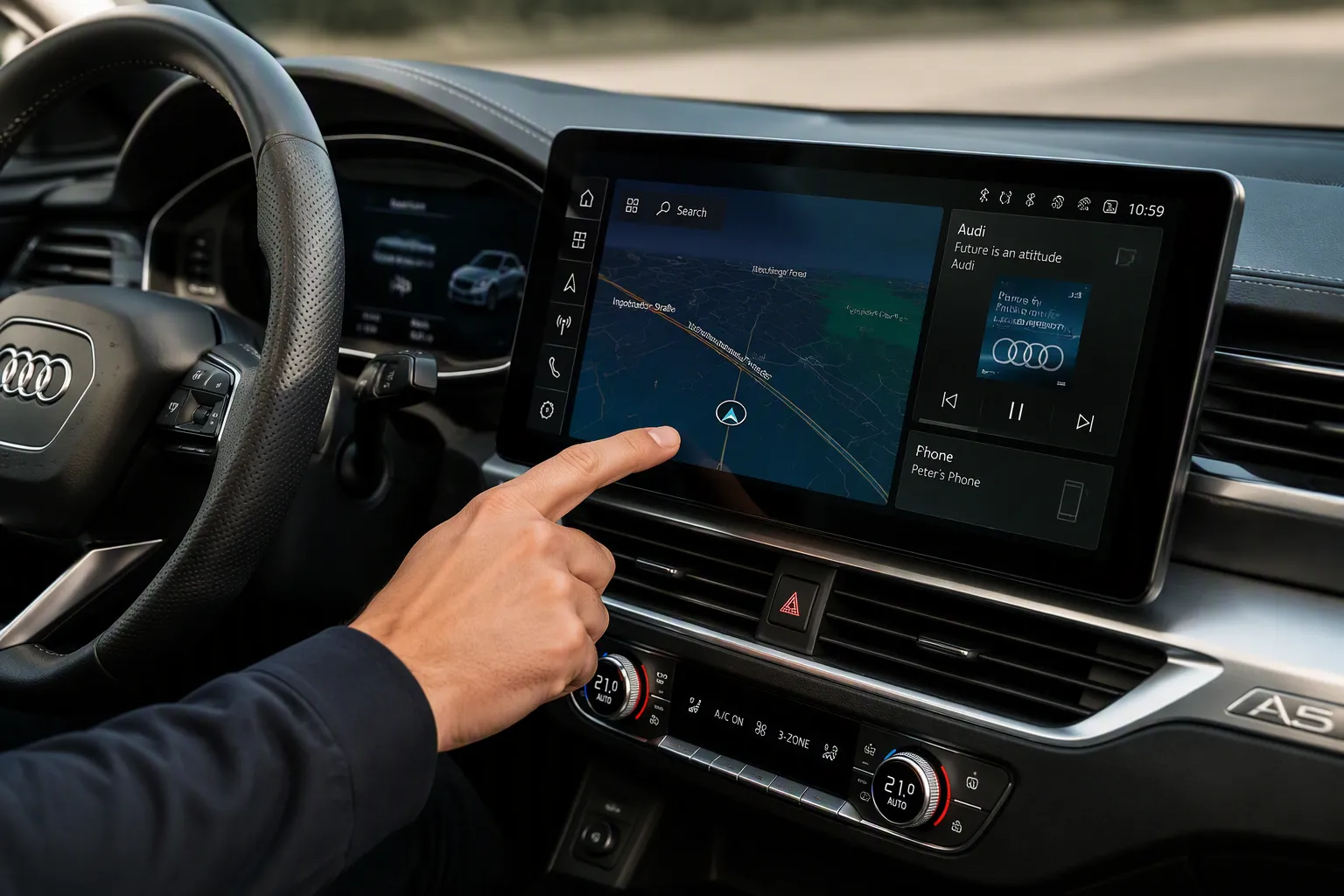
Picking the right 2026 Audi A5 screen upgrade comes down to what matters most to you. You might want a factory look, touch controls, or full app access. There are three main routes: an interface box, a Linux touchscreen, or an Android display. For older A5 models (2009–2015) with 3G MMI+, a certain 8.9″ Linux touchscreen gives you a modern fix without cutting anything up. Well-liked aftermarket options include 10.25″ and 12″ screens for different model years. This gives you a smooth and easy-to-use infotainment system. It brings you navigation and a connected drive. The guide weighs up prices, fitting, and real owner feedback to help you choose.
Key Takeaways
Choose the interface box to keep your factory look and save money.
Pick the Linux touchscreen for a reliable, modern screen that keeps all original functions.
Go for the Android screen if you want full apps and customisation, but expect higher costs.
Always check your Audi A5 model year and system before buying any upgrade.
All three options use plug-and-play harnesses, so no wire cutting is needed.
Quick Comparison: Audi A5 Screen Upgrade Paths
At-a-Glance Feature and Price Overview
You have three clear ways to upgrade your infotainment system. The table below shows them side by side. It covers main features, how hard each one is to fit, the cost, and who each choice is best for.
Option | Key Features | Installation Difficulty | Cost Range | Best For |
|---|---|---|---|---|
Interface Box | Keeps your original factory display. Adds wireless CarPlay and Android Auto. Uses your original OEM controls. | Easiest (hidden plug-and-play) | Lowest | Owners who want to keep things original and change very little |
Linux Touchscreen | Swaps the screen for a high-resolution centre display (1920×720). Wireless CarPlay and Android Auto. Starts up fast on a light OS. Keeps all your original functions. | Moderate (screen replacement) | Mid | Owners who want a modern touchscreen that works reliably |
Android Screen | Swaps the screen for a high-resolution display (Full HD IPS, several sizes). Full access to Google Play apps, streaming, and customisation. Wireless CarPlay and Android Auto. | Moderate (screen replacement) | Highest | Owners who want full app use and personalisation |
Screen sizes differ by option. You can get 8.9‑inch, 10.25‑inch, and 12.3‑inch displays. What fits depends on your model year and trim. For example, B9 generation A5 models take different screens than 2009–2015 models. The best upgrades fit in smoothly, show crisp high-resolution pictures, and support Apple CarPlay and Android Auto. This gives you modern navigation without losing your car's original features.
Which Option Suits Which Driver?
Your own driving habits will lead you to the right choice.
If you like keeping things original, the interface box is your best bet. It keeps your factory display and all your original Audi controls. You gain connectivity without changing how your dashboard looks. This is great if you want a simple, cheap way to bring your gps navigation system up to date.
If you want a modern infotainment system with a fresh look, pick the Linux touchscreen. It swaps your original screen for a sleek high-resolution centre display. It starts up quickly and runs without lag. One UK owner, James L., said of his 2013 Audi A5: "I just wanted simple CarPlay – the Linux screen gave me that with no fuss. Quick boot, clean interface." The Linux screen keeps all your original factory functions working. Your MMI joystick, amplifier, and reversing camera still work as before. You need no programming or coding. This option gives you a bigger screen with reliable performance.
If you want the full app experience, go for the Android screen. This upgrade swaps your whole unit for a powerful Android display. You can download apps from the Google Play Store. Watch YouTube, Netflix, or use navigation apps on a bigger screen. One US owner, Mark S., shared about his 2011 Audi S5: "The Android screen is amazing – maps, music, YouTube all in one. Totally changed the feel of my car." The Android screen gives you the most features, but it costs more.
All three options support factory integration. The interface box and Linux touchscreen keep your original controls fully working. The Android screen also works with your OEM controls. Many products are plug-and-play. They use the same plugs and harness as your original Audi system. You need no programming or coding. Your original car information stays accessible as before.
Modern infotainment systems like these change your driving experience. They bring smartphone features to your dashboard. The key is matching the upgrade to your needs. Think about your budget, how much you want to keep things original, and whether you need full apps.
Option 1: The Interface Box Screen
What It Is and How It Works
With this choice, you keep your original factory display. A small module hides behind your dashboard. It links to the back of your head unit using plug-and-play wiring harnesses. The module picks up the video signal. Your original screen then shows wireless Apple CarPlay and Android Auto. You need no coding and no wire cutting. This audi a5 screen upgrade path suits you if you value originality above all else.
The kit gives an OEM feel and look. It keeps your existing Audi display on the dash. You control CarPlay and Android Auto with your existing rotary controller and steering wheel controls. Touch screen control works too, if your car has one. Full original factory information stays on the car screen. Your original MMI functions stay accessible at all times. You can switch in and out of the CarPlay display whenever you like.
The Limcet Box is a retrofit CarPlay and Android Auto Kit that adds CarPlay and Android Auto to the factory fitted AUDI MIB1 / MIB2 system. The kit gives an “OEM” feel and appearance as it retains the existing AUDI display on your dash and connects to the rear of the head unit.
The module has a USB port for charging, music, and video playback from a USB flash drive or hard drive. It has a built-in interface for front and rear cameras. Audio connection may need a supplied AUX-AMI adaptor or enabling AUX via VCDS during installation if no AUX port is present. The kit works with Audi A5/S5 models from 2009–2017 and Audi MMI 3G Basic, 3G High, 3G Plus, and RMC systems.
Installation, Cost, and Real Owner Opinions
The installation is usually plug-and-play and non-destructive. You may need to reach the head unit behind the dashboard. No wire cutting or dash modification is needed. This makes it the easiest option for most owners. The cost is usually the most affordable of the three paths. You keep your original screen and simply add smart features to your oem system.
Real owner opinions are mostly positive. Drivers praise this option for keeping the original look. Your dashboard stays exactly as Audi intended. Some owners do note one trade-off. The original screen resolution stays the same. Maps and text may look less sharp than on a newer high-resolution display. For navigation and music streaming, however, the system works well. If you want a factory appearance with modern connectivity, this is your best choice.
Option 2: The Linux Touchscreen
Features and Compatibility
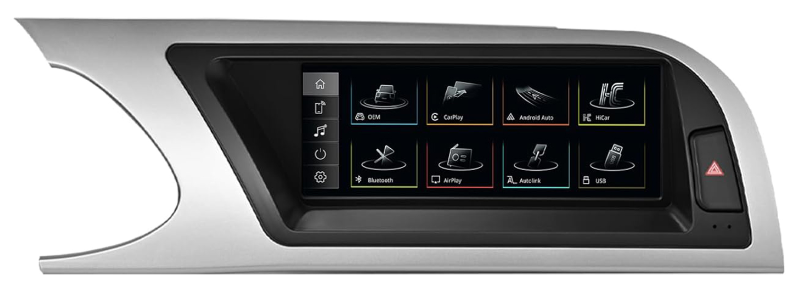
The 8.9″ Linux Screen for Audi A5 2009–2015 with 3G MMI+ System gives you a modern touchscreen and keeps your car's original feel. This audi a5 screen upgrade runs on a steady Linux platform. It boots up quickly and does not freeze on long drives. You get built-in wireless and wired Apple CarPlay and Android Auto. Siri support lets you make calls and send messages without using your hands. The 1920×720 HD resolution gives sharp, bright pictures for maps and media. A mirror link feature puts your phone's apps onto the bigger display. You can also play music and video through the USB port.
This unit works only with the 3G MMI+ system. It does not fit Audi Concert or Symphony systems.
Check your car's system before you buy. What fits depends on your model year and trim. This screen keeps every original factory function working. Your radio, amplifier, and factory joystick control work as before. The reversing camera and DVR support still work too. Your reversing and parking systems stay fully connected. No software changes touch your vehicle's control units.
Non-Destructive Installation and Cost
Installation is really plug-and-play. The kit uses your original car connectors. You need no cutting and no breaking of cables. This non-destructive installation keeps your dashboard and wiring safe. The package includes the 8.9-inch touchscreen and all the cables you need. Customer support is there if you run into any problems. You can easily connect your smartphone and enjoy bluetooth connectivity for streaming. The built-in gps makes navigation simple on the big screen. This integration keeps your driving experience smooth and connected.
Real owner opinions praise this Linux touchscreen for how reliable it is. Drivers love the freeze-free performance during long use. The modern touch display feel changes the cabin. One owner called it a fuss-free way to add CarPlay. The fast boot time and stable operation get consistent praise. You get a responsive screen that works on every journey.
Option 3: The Android Screen
Features, Performance, and Connectivity
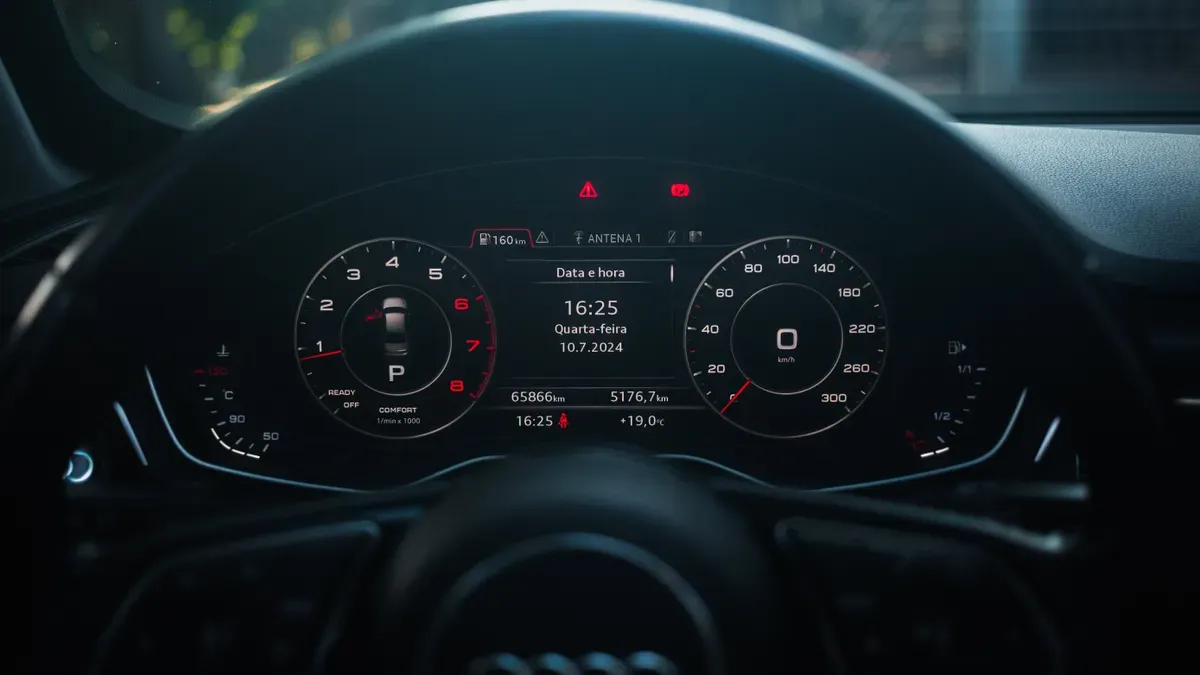
This path replaces your entire screen unit with an Android-powered display. You gain full access to the Google Play Store. That means apps, games, streaming services, and deep customisation. A popular example is the AFV1414 from Iceboxauto. It fits Audi A5 models from 2017–2020 (RHD only) and runs Android 13.0 on a Qualcomm Snapdragon 665 octa-core processor. You get 8GB RAM and 128GB storage. Screen options include a 10.25″ standard or 12.3″ upgrade, both IPS multi-touch at 1920×720. Built-in Google Maps handles your navigation needs. Wireless CarPlay and Android Auto come as standard, along with screen mirroring for iPhone and Android.
Connectivity is strong. You get dual-band Wi-Fi, Bluetooth 5.0, and 4G via a built-in SIM slot. The system retains your rear camera, car computer info, steering wheel controls, original Bluetooth, parking sensors, and voice control. You also get gps, 4K video, DVR, OBD, and TPMS support.
Performance depends heavily on chipset quality. Choose the newest and best quality chipsets for optimal results.
Drawbacks | |
|---|---|
Modern features: YouTube, Google Maps, wireless smartphone integration | Installation risks: battery drain, MMI system conflicts |
High resolution (1920×720) | Reliability data gaps for unbranded units vs. premium brands |
Plug-and-play harnesses | Potential compatibility issues with Audi fibre optic sound systems (MOST bus) |
Affordable pricing ($200–$700) | Requires technical knowledge for some models |
Wide availability on B2B channels | Risk of low-quality components from unbranded manufacturers |
Installation, Cost, and Real Owner Opinions
This audi a5 screen upgrade may be more complex to fit than the other two options. Many models need professional fitting. You may face battery drain or MMI system conflicts. Fibre optic sound systems (MOST bus) can cause compatibility issues. The cost is typically the highest of the three paths. Prices range from $200 to $700. Unbranded units carry more risk than premium brands.
Real owner opinions praise the full app experience. You can run YouTube, Spotify, and maps on one touchscreen. Some drivers do report occasional lag. Others mention compatibility issues with original systems. Check user reviews and forums before you buy. Look for units with strong after-sales support. A quality chipset and a reputable brand reduce these risks. This option suits you best if you want maximum features and do not mind the higher cost or fitting complexity.
Your Decision Guide: Matching the Upgrade to Your Needs
Prioritising Budget, Features, or Originality
Your final choice comes down to four things. Think about your budget and how much you value originality. Also consider whether you need full apps. Finally, decide how important warranty and after-sales support are to you. These points will guide you to the right path.
Budget matters most for many drivers. The interface box costs the least. The Linux touchscreen sits in the middle. The Android screen costs the most. If you want to spend less, start with the interface box or the Linux option.
Originality drives other owners. You may love your factory dashboard exactly as it is. The interface box keeps your original display and adds smart features. Your cabin looks untouched. The Linux touchscreen swaps the screen but keeps every original function working. Your radio, amplifier, joystick control, and reversing camera all stay active.
Full app access pushes some drivers toward the Android screen. You get the Google Play Store, streaming services, and deep customisation. This path suits you if you want the most infotainment features and do not mind paying more.
Warranty and after-sales support deserve real weight. A good seller stands behind their product. Ask about warranty terms before you buy.
Final Recommendations for Different A5 Owners
Your model year and trim shape your best option. B9 generation A5 owners have two strong screen choices. Compare them here.
Screen Size | Key Strength |
|---|---|
10.25″ | Often brighter |
12.3″ | More aesthetically pleasing |
Both sizes support wireless CarPlay and Android Auto. Both keep your original controls working. Pick the 10.25″ if brightness matters most to you. Pick the 12.3″ if you want the best-looking dash.
Older A5 owners (2009–2015) with 3G MMI+ have a clear winner. The 8.9″ Linux touchscreen gives you a modern touchscreen feel with a non-destructive installation. It uses your original car connectors. No cutting or breaking of cables. It keeps your factory radio, amplifier, joystick control, and reversing camera working. You get built-in wireless and wired CarPlay and Android Auto. The 1920×720 HD resolution makes maps and media look sharp. This screen works only with 3G MMI+. It does not fit Audi Concert or Symphony systems. Check your system first.
Always check user reviews and owner forums before you buy. Real drivers share insights into what works and what does not. You will learn about common pitfalls and the best options for your exact model. This kind of seamless integration gives you a clean result with no surprises.
Your perfect upgrade depends on your priorities and your specific A5. Weigh budget, originality, features, and support. Then match the option to your car and your driving needs.
You now have three clear choices. The Interface Box keeps your factory look and adds smart features. The Linux Touchscreen gives you simple, reliable touch control with modern navigation. The Android Screen offers full app access and deep customisation. Your best upgrade depends on what you care about most. It also depends on your A5 model year and trim. A 2013 3G MMI+ car is not the same as a B9 model.
Before you buy, speak to a professional installer. Visit trusted shops and check owner forums for real advice. These steps help you avoid common problems. They also help you find good after-sales support. Choose with confidence, then enjoy your refreshed cabin.
FAQ
Will a new screen work with my A5's factory controls?
Yes, in most cases. The interface box and the Linux touchscreen keep your original radio, amplifier, joystick control, and reversing camera working. The Android screen also supports your steering wheel controls and parking sensors. Always confirm compatibility with your model year and trim before you buy.
Do I need to cut any wires during installation?
No. The interface box and the 8.9″ Linux screen use your original car connectors. This makes them true plug-and-play fits with no cutting or breaking of cables. The Android screen may need professional fitting, but quality kits still use plug-and-play harnesses.
Which upgrade costs the least?
The interface box is the most affordable path. The Linux touchscreen sits in the middle. The Android screen costs the most, with prices ranging from $200 to $700. Your budget will point you toward the right option.
Can I keep my original factory look?
Yes. The interface box keeps your existing Audi display on the dash and adds CarPlay and Android Auto. Your cabin looks untouched. The Linux touchscreen swaps the screen but retains every original function, so your car still feels like an Audi.
Which option suits an older A5 with 3G MMI+?
The 8.9″ Linux touchscreen is your best fit. It works only with the 3G MMI+ system, not with Audi Concert or Symphony systems. You get wireless CarPlay, Android Auto, and a sharp 1920×720 display. Check your system first.
See Also
Your Complete Leadsign Audi A3 Screen Upgrade Guide For 2026
How To Upgrade Your Audi Q5 Screen Using A Plug-And-Play Kit
Leadsign Audi A4 B8 3G MMI+ Screen Upgrade With CarPlay Support
Leadsign Audi A5 2009-2015 MMI 2G CarPlay Retrofit Installation Guide
Leadsign Always Provides The Best Audi A4 B8 Apple CarPlay Upgrade