Mastering the Search for Your Ideal Aftermarket Infotainment System

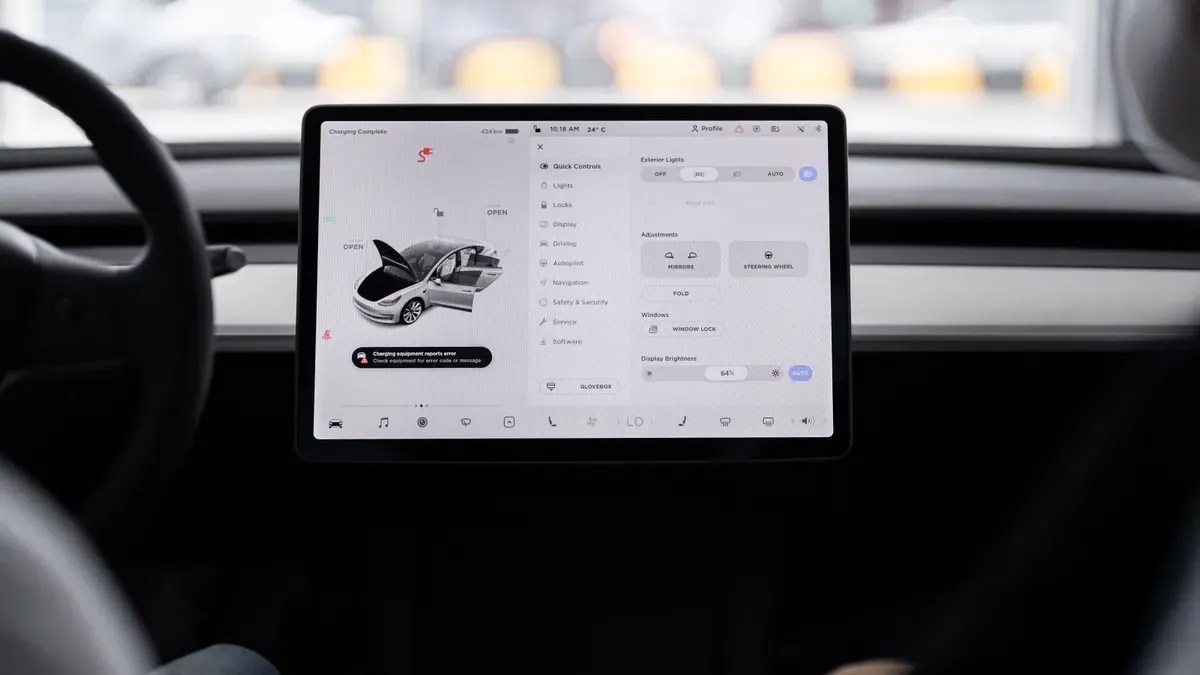
You sit in your reliable car. The engine hums perfectly. Your dashboard feels ancient. No Bluetooth. A tiny screen. Your phone mounts awkwardly to the vent. This frustration is common.
An aftermarket infotainment system solves this problem. It modernizes your vehicle. Choosing the right one demands a clear strategy. You need to know your vehicle's compatibility. You must prioritize the features that matter most. You also need a realistic budget. Your factory stereo lacks modern options.
This guide provides steps to navigate the market confidently. You will learn how to choose the best car audio system. We will help you find the perfect aftermarket car stereo. Upgrade your car audio system without stress. Many car audio systems exist, but only one fits your needs. Let's turn this daunting search into a manageable project.
Key Takeaways
Look at your car's year, make, model, and trim level to find stereos and parts that fit it.
Use online tools like Crutchfield's KitFinder to find the correct dash kit and wiring harness for your car.
Pick a stereo that has wireless Apple CarPlay or Android Auto. This lets you use your phone safely without using your hands.
Choose a screen that fits your dash without changes and is bright enough for sunny days.
Set aside money for extra parts and hiring a pro to install it, so you don’t make expensive errors.
Checking Your Car's Compatibility with an Aftermarket Infotainment System
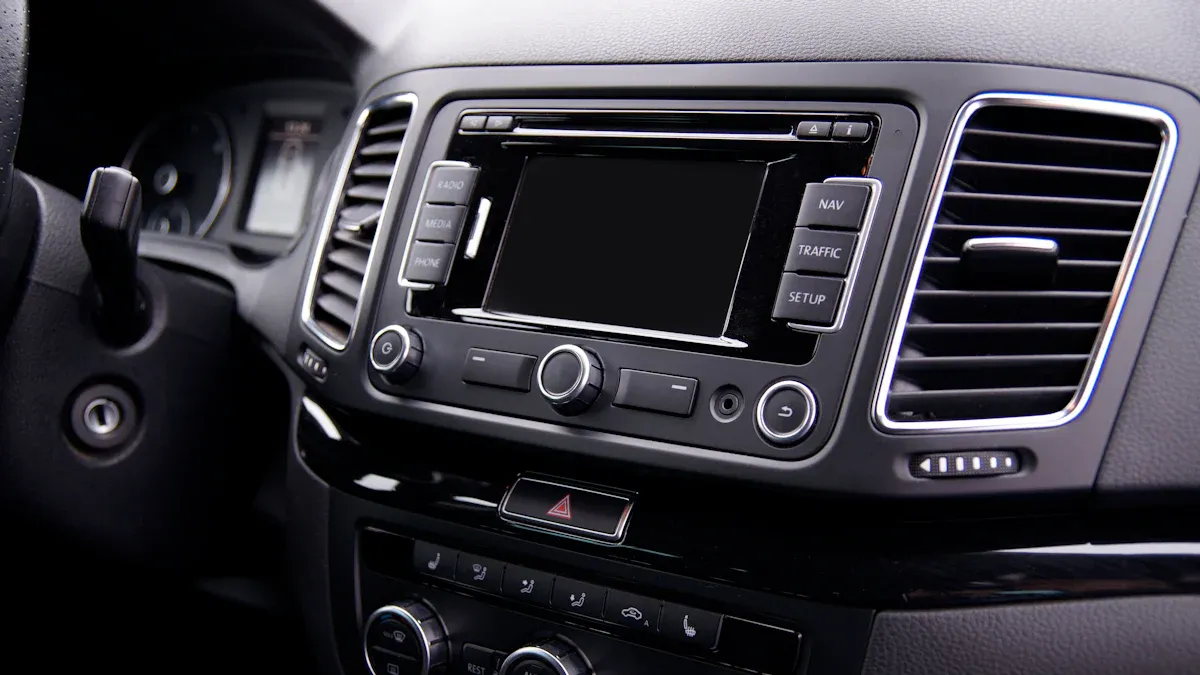
Before you look at any products, you need to know your car's exact details. Write down the year, make, model, trim level, and factory audio package. This info decides all your next choices. Two cars that look the same may need different parts. A base model without premium sound is different from one with a factory amplifier. Your vehicle compatibility check starts here, not with shiny screens.
Identifying DIN Sizes and Required Dash Kits
Your dashboard has a standard radio opening. People call these openings single-DIN or double-DIN. The difference is height. A single-DIN slot is 2 inches tall. A double-DIN slot is 4 inches tall. Both are 7 inches wide. You can measure your opening with a ruler, or check the specs online.
Online tools make this process much easier. The "What Fits My Car" tool on OnlineCarStereo.com gives you a step-by-step process. You pick your car's make, model, sub-model, and body type. After you do that, the tool shows a list of compatible aftermarket stereo products. The tool says it is only a general guide. You should still check with a professional for installation.
Crutchfield's KitFinder works the same way. You put in your car details, and the site shows you which stereos fit. It also lists the parts you need to install. Those parts are the dash kit and wiring harness. A dash kit fills the space between your new stereo and the factory dashboard opening. Without the right kit, your installation will look incomplete. The wiring harness connects your new unit to the car's electrical system. Getting these parts right means everything works from the start.
Retaining Steering Wheel Controls and Factory Audio
Your steering wheel has buttons you use every day. Volume, track, and phone controls keep your hands on the wheel. A standard aftermarket car stereo cannot read your car's factory signals. You need a wiring interface to turn those signals into commands. Steering wheel control interfaces are small modules that change your car's network data into commands your new radio understands. Once you connect and program them, your volume, track, and phone buttons still work. Common products are the Axxess ASWC-1, iDatalink Maestro SW, and PAC SWI series. They all keep your steering wheel controls working with an aftermarket stereo.
The installation process needs careful work. Ground the blue wire on the sub-harness to keep all trip button functions. Use a PAC SWI-JACK interface that plugs right into the aftermarket deck for better response than infrared adaptors. Add a few resistors between the steering wheel control harness and the interface before connecting it to the radio. After programming, the setup keeps volume up/down, station up/down, track up/down, and mute functions from the steering wheel.
Factory backup cameras and premium amplifiers also need interfaces. Many modern cars link these features through the same network. Skipping the right interface means you lose these functions. Your car audio system investment should not give up existing features. Professional installers understand these connections well. They can make sure everything works with your factory systems. Taking time on this step stops problems later. Your aftermarket car audio system upgrade should make your driving better, not harder. Choose quality parts and check every connection before you finish your installation.
Prioritizing Smartphone Integration and Navigation Features
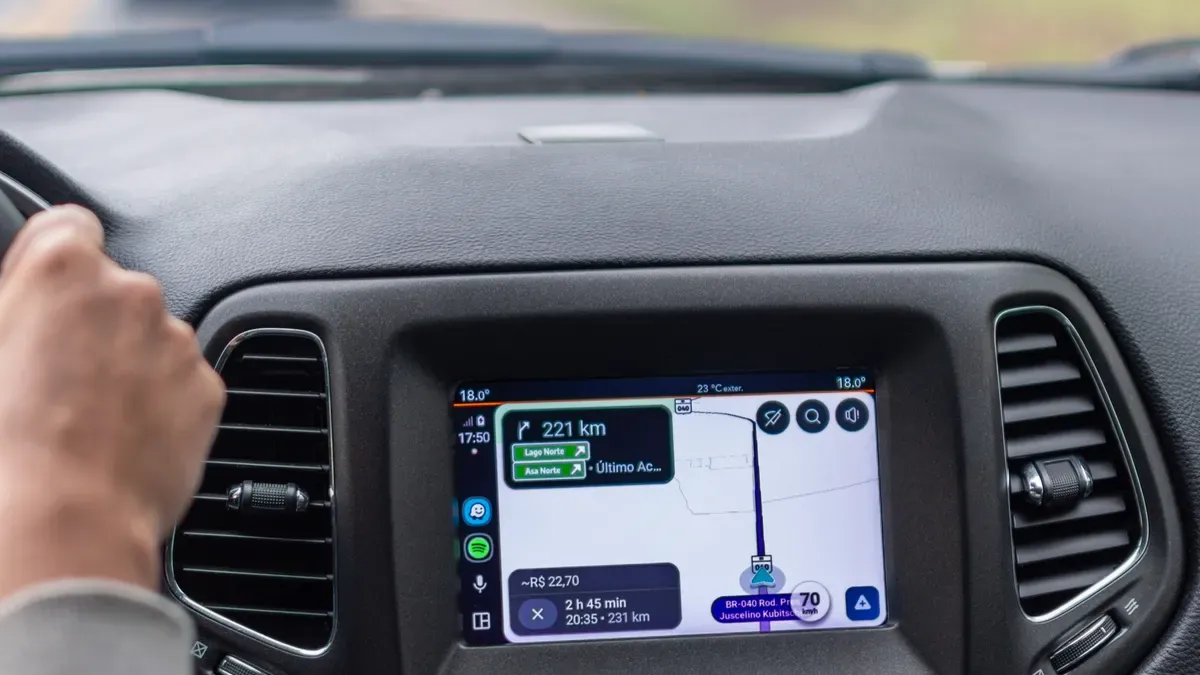
Your daily driving habits should guide your choice of smartphone integration. Do you rely on your phone for maps and music every day? Then a system with wireless Apple CarPlay or Android Auto becomes a must-have feature. These systems connect your phone without cables. They let you use your favorite apps through the car's screen. Think about your typical commute. You might need navigation for traffic. You might want hands-free calls. You might crave your personal playlists. The right aftermarket infotainment system makes all of this seamless. It turns your car into a connected hub.
Choosing Between Apple CarPlay and Android Auto
Wireless Apple CarPlay and Android Auto change how you interact with your car. You get hands-free communication. You can make calls, listen to voicemails, and send texts using voice commands. Siri or Google Assistant handles the work. Your hands stay on the wheel. You get smarter navigation too. Use Apple Maps, Google Maps, or Waze for real-time traffic updates. These apps suggest alternate routes. They warn you about hazards ahead. Entertainment becomes endless. Access Spotify, Apple Music, Audible, and other apps directly through your car's sound system. No more fumbling with your phone. You drive safer because you move tasks from hands to voice. The infotainment screen reduces distractions. You focus on the road.
But you need to check compatibility first. Some aftermarket stereos support wired Apple CarPlay. If your stereo already supports wired CarPlay, you can upgrade to wireless. An adapter like the Carlinkit CPC200-CCPA does the job. Your head unit must run Android version 4.4 or higher. If both conditions are met, the adapter unlocks wireless Apple CarPlay or wireless Android Auto. This upgrade makes your daily drive much smoother. You never need to plug in your phone. The connection happens automatically when you enter the car.
Deciding on Built-In Navigation vs. App-Based Maps
You face a choice between built-in navigation and app-based maps. Built-in navigation lives on the stereo itself. It does not need your phone. It works even in areas with no cell signal. But it costs more upfront. It also requires updates to keep maps current. App-based maps use your phone's data. Apps like Google Maps or Waze give you real-time traffic. They update automatically. They show live hazard warnings and speed traps. For most drivers, app-based maps offer more value. Your phone already has the maps you use. The aftermarket car stereo just mirrors them on a bigger screen.
Your choice depends on your driving patterns. Do you drive in remote areas often? Built-in navigation might serve you better. Do you stay in cities with good cell coverage? App-based maps work perfectly. Either way, the system should integrate with your phone without issues.
Sound quality matters too. A built-in equalizer lets you fine-tune bass, treble, and midrange frequencies. This feature helps users who care about audio quality. You can adjust the sound to match your preferences. The music sounds richer and more balanced. You hear details you missed before. Your favorite songs come alive with the right equalizer settings.
Check other connectivity options as well. Bluetooth reliability is critical. A weak Bluetooth connection ruins your experience. Songs skip. Calls drop. You get frustrated with your new system. Choose a stereo with proven Bluetooth performance. Look for multiple USB ports. You need to charge your phone and connect devices. Think about satellite radio or HD Radio support. These connectivity options expand your entertainment choices. The best car audio systems offer a complete package. They blend smartphone integration, navigation, and sound control into one unit. Compare aftermarket car audio systems before you buy. Pick the one that matches your needs. The goal is a system that feels intuitive and safe. You should enjoy the drive without distractions. The best car audio systems combine all these features into one cohesive experience. Your stereo should feel like a natural extension of your daily life.
Balancing Screen Size, Display Quality, and Audio Output
Selecting the Right Screen Dimensions for Your Dash
Your car's dash opening controls the screen size you can use. A double-DIN slot follows a specific standard. The table below shows the exact dimensions.
Dimension | Double-DIN Standard |
|---|---|
Height | |
Width | 7 inches (180 mm) |
The "double" only applies to height, not width. A larger touchscreen sounds appealing. But a bigger screen is not always better. It often requires extensive dash modification. You do not want to cut your dashboard. That adds cost and risk. Stick with a size that fits your factory opening. The right touchscreen fills the space without extra work. A clean installation looks professional. Your aftermarket infotainment system should blend into your dashboard. Measure your opening first. Check your car's specs online. Then pick a model that matches those dimensions. A perfect fit prevents headaches later.
Understanding Resolution, Brightness, and Preamp Outputs
Screen quality matters more than size. A high-resolution touchscreen display shows sharp text and clear maps. You see details easily. Brightness is also critical. A dim screen becomes useless in direct sunlight. Look for a stereo with high brightness ratings. The display should stay visible on sunny days. Your aftermarket car stereo should perform in all conditions. Great car audio systems offer both visual clarity and audio precision.
Audio output matters for sound quality. Preamp outputs send the audio signal to external amplifiers. These outputs come in different voltage ratings. Higher voltage preamp outputs produce a cleaner signal with less noise. Your music sounds clearer. If you plan to add amplifiers later, choose a stereo with higher voltage preamp outputs. This prepares your system for future upgrades. You can optimize sound quality in your car with the right setup.
Your touchscreen should respond quickly. Slow touchscreens frustrate you. They lag behind your commands. A responsive touchscreen display makes navigation smooth. You tap and the system reacts instantly. Pair this with reliable bluetooth connectivity. You want calls and music to stream without drops. These features combine to create a complete experience. The best car audio systems balance screen quality, audio output, and connectivity. They give you control over your sound. They make your drive better. Choose a stereo that checks all these boxes. Your investment pays off every time you get behind the wheel.
Weighing Installation Costs and DIY Feasibility for Your Aftermarket Car Stereo
Evaluating Your Own Skill Level for a DIY Install
You need to be honest about your skills before buying anything. Putting in a new car stereo takes patience. You will connect wires. You will take off interior panels. You will work in tight spots behind the dashboard. Some people like this kind of project. Others find it too hard.
Ask yourself a few simple questions. Have you ever put in a car stereo before? Do you know basic electrical wiring? Can you read a wiring diagram? Are you okay with taking apart your dashboard? If you say yes, doing it yourself can save money. You skip paying for labor. You also learn how your car is built. Later upgrades will be easier.
But a bad install costs more than hiring a pro. You might damage the wiring harness. You might break plastic clips. You might hook up the wrong wires and cause a short. These mistakes turn a cheap job into a costly repair. If you are unsure about any step, think about getting a pro. The peace of mind is worth the money.
Budgeting for Professional Installation and Parts
Your total budget must include more than just the stereo price. Many first-time buyers forget the extra parts. A dash kit fills the gap between your new stereo and the factory hole. A wiring harness connects the stereo to your car's electrical system. These parts together usually cost between $20 and $100. The exact price depends on your car's make and model.
Paying a shop to install it adds another cost. Most shops charge between $100 and $150 for a basic stereo install. That price covers the simple work. Your final cost may go up based on several things. The table below shows what affects labor pricing.
Factor | Key Impact on Labor Cost | Example/Detail |
|---|---|---|
Labor Rates by Location | Higher in cities due to overhead; specialty shops charge more | Major cities vs. smaller towns; comparing quotes recommended |
Vehicle Make and Model | Newer cars with integrated dashboards require more removal/reconfiguration time | Compact sedan vs. luxury SUV with built-in navigation |
Type of Stereo System | More features (touchscreen, GPS, cameras) increase wiring and integration time | Basic single-DIN (1-2 hrs) vs. Premium multimedia receiver (4-8+ hrs) |
Compatibility Requirements | Interface modules ($50-$200) and reprogramming add labor steps | Retaining steering wheel controls or backup cameras |
Additional Audio Upgrades | Each added component (amp, sub, speakers) adds installation steps | Amp install: $100-$300; Subwoofer: $150-$400; Speaker replacement: $100-$500 |
You should get quotes from a few shops before you decide. Prices can be very different between cities and small towns. Specialty audio stores charge more than regular repair shops. Their skill often makes the higher price worth it.
Read reviews before you pick any product. Compare models from well-known brands. Do not just look at the lowest price. A cheap unit with bad software will frustrate you every day. A good aftermarket infotainment system from a trusted brand gives better sound quality. It also has an easy-to-use interface. Your car audio investment should last for years. The best aftermarket car audio systems balance cost with performance. Take your time. Do your research. Then upgrade your car audio system with confidence. Your car deserves a stereo that works as well as the rest of the vehicle.
You now have the roadmap. Begin by checking what fits your car. Then list the features you really need. Think about screen size, display quality, and sound output. Last, compare installation costs with your own skill level.
There is no single perfect aftermarket car stereo. Your best choice depends on how you drive, what you can spend, and what car you own. Use these steps as your shopping guide. They help you make every choice.
Keep the main goal in mind: upgrade your car audio system to make driving better. Choose a stereo that feels natural to use. Pick one that helps you keep your eyes on the road. With this advice, you will know how to find the best car audio system for your needs. Your perfect match is out there.
FAQ
Will an aftermarket stereo void my new car warranty?
No, not by itself. The Magnuson-Moss Warranty Act keeps you safe. A dealer must show that the aftermarket stereo caused the damage. Your factory warranty still covers unrelated fixes. Save your original parts. You can put them back if needed. This rule applies to any car stereo upgrade.
How long does a professional installation take?
Most simple installations take one to two hours. Premium multimedia receivers with backup cameras or steering wheel interfaces need four to eight hours. Ask your installer for a time estimate before they begin. A good installation matters more than speed. Hurrying causes mistakes you will regret later.
Can I keep my factory backup camera with a new stereo?
Yes, you can. You need the correct wiring interface module. This module changes your car's camera signal for the new stereo. Check compatibility before buying. Some vehicles need extra adapters. Your installer can confirm the right parts. This keeps your safety features working well.
What is the difference between wired and wireless Apple CarPlay?
Wired CarPlay needs a USB cable connection every time. Wireless CarPlay connects on its own when you enter the vehicle. Wireless systems give more convenience. They also cost more. Some stereos support both options. You can upgrade a wired system with an adapter if your stereo runs Android 4.4 or higher. Choose based on your daily routine.
How do I know which stereo fits my dashboard?
Measure your factory radio opening first. Single-DIN slots measure 2 inches tall. Double-DIN slots measure 4 inches tall. Both are 7 inches wide. Online tools like Crutchfield's KitFinder show compatible models. Enter your car's year, make, and model. The tool lists stereos and required dash kits. This step stops you from buying the wrong unit. Finding the perfect aftermarket car stereo starts with this measurement. Learning how to choose the best car audio system begins with fitment. Your touchscreen choice depends on this opening size. A quality touchscreen improves your driving experience. The right stereo changes your car.
See Also
Complete Guide To Upgraded CarPlay Systems For 2026
Wireless Apple CarPlay Installation For BMW Vehicles
Replacement Touchscreens For Car Stereo Systems