BMW E60 screen upgrade the easiest way to stay modern

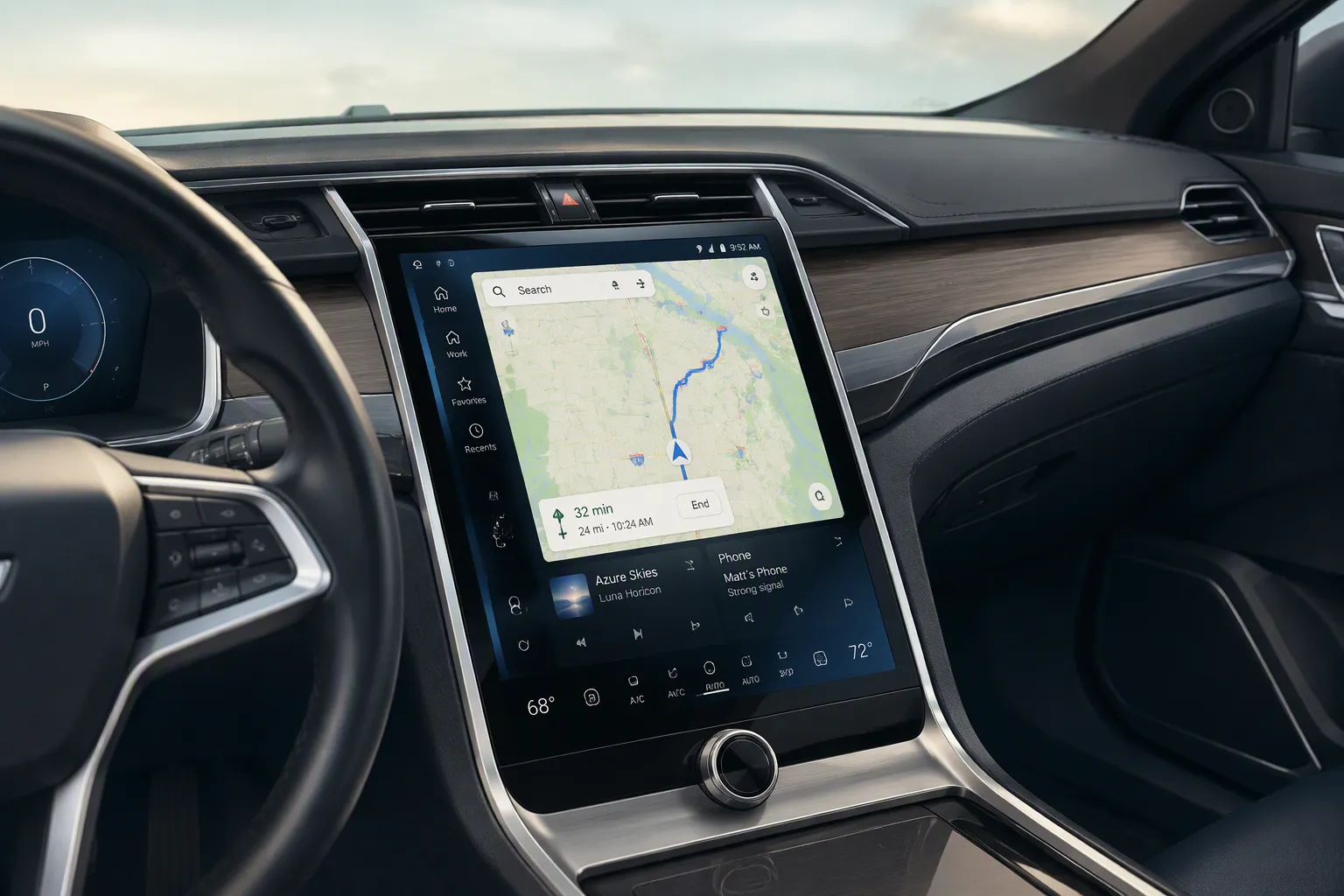
A BMW E60 screen upgrade is the easiest way to stay modern. Choose a plug-and-play design built for your car's CCC system. An 8.8-inch touchscreen fits the bill nicely. It brings wireless Apple CarPlay, wireless Android Auto, and a sharper display. No cutting wires. No splicing. Original parts stay untouched.
You might worry about the idrive version, screen size, installation effort, cost, or losing original functions. Relax. The right unit keeps your original iDrive controls and steering wheel controls working as before. This guide walks you through every choice. You will check your idrive system first. Then you will compare sizes and set a realistic budget. Budget matters more than you think.
Key Takeaways
Check your iDrive version first. CCC and CIC systems need different screens.
Choose an 8.8-inch screen. It fits well and keeps your dashboard clean.
Pick a plug-and-play unit. No cutting wires or coding needed.
Keep your original radio, amplifier, and controls. They still work.
Set a budget. Prices range from £300 to £450. Buy from a trusted seller.
Start With Your Must-Have Features
Focus on CarPlay, Android Auto and Navigation
Think about what you actually use behind the wheel. Do you want sat-nav apps on a big screen? Hands-free calls? Music streaming from your phone? The 8.8-inch touchscreen for the E60 with CCC delivers wireless Apple CarPlay and wireless Android Auto. That pair covers the daily essentials. You get Apple CarPlay for maps and messages. You get an Android Auto system for the same jobs on Android phones.
A retrofit CarPlay setup like this one changes how you drive. You run Waze or Google Maps through Apple CarPlay. You answer calls without touching your phone. The user interface stays clean and quick. So shortlist the apps you open every day. Then check that your chosen unit supports them. A retrofit CarPlay screen only earns its place if you use it.
Keep the Original Radio and Amplifier
Here is the clever part. This upgrade adds modern features without removing your factory equipment. The original radio still works. The amplifier still works. The joystick, command button and steering wheel controls all stay live. You keep your factory screen and controls in spirit, because the new unit talks to the same systems. The rotary controller remains your main way to move around menus. That matters for safety and for familiarity.
You also keep the original iDrive system fully operational. No software changes to the vehicle control unit are needed. So your car's core systems stay untouched. The screen and controls feel like they belong. You get CarPlay and android auto on one side, and original BMW behaviour on the other. The rotary controller still clicks. The user interface blends old and new. That balance makes this the easiest way to stay modern.
Match the Screen Upgrade to Your iDrive Version
Your bmw e60 screen upgrade must match your idrive version. The E60 had two main systems: CCC and CIC. Wrong choice, no connection. Right choice, instant fit. Check that first.
Understand CCC and CIC Differences
CCC stands for Car Communication Computer. CIC means Car Information Computer. They look and act differently. The CCC uses a four-direction tiled main menu. You see Climate, Communication, Navigation and Entertainment around a central 'i'. The CIC uses a list-style menu with a sweeping side graphic. A red border highlights your selection.
The rotary controller also changed. CCC cars shipped with three controller types. CIC cars got a redesigned controller with seven quick-access buttons. Press those to jump to Nav or Tel.
Even the drives differ. The CCC unit has two DVD/CD slots. One holds map data. The CIC unit has a single drive because it stores maps on an internal 80GB hard disk. CCC runs at 640x240 pixels. CIC is sharper at 1280x480.
Feature | CCC | CIC |
|---|---|---|
Main menu | Four tiles around central 'i' | List with red border |
Controller | Three legacy types | 7 quick-access buttons |
Drives | Two DVD/CD slots | Single drive, 80GB HDD |
Resolution | 640x240 | 1280x480 |
Which system does your car have? The production date reveals your idrive version. CCC ran from December 2003 to November 2008. CIC took over from November 2008 to May 2010. A 2007 model likely has CCC; a late 2009 run-out might have CIC.
Check Your Model Year and Controls
Sit in the driver's seat. Switch on the ignition. Look at the main menu. Tiles around a central 'i'? That's CCC. A list with a red border? That's CIC.
Now look at the controller. Physical buttons around the dial for direct menu access? That points to CIC. Older smooth controller? That's CCC. The idrive controller design changed between the systems. Your idrive system handles every input. The idrive system stays in control.
Why does this matter? A retrofit carplay screen must talk to your idrive system correctly. The 8.8-inch touchscreen is built for CCC cars. It connects directly to your idrive head unit, so it's tailored to your car's signals. The connection stays clean and stable. The screen handles the video feed from your car. A CIC-designed upgrade won't speak the same language.
Some owners chase an OEM swap from CCC to CIC. That's a bigger project. You'd need a new head unit, wiring, and coding. The easy path is an aftermarket screen. It keeps your original idrive user controls, including the rotary controller and command buttons. You retain the factory feel while gaining new tech. The rotary controller feels the same.
So confirm your idrive version before you buy. Check the menu layout, controller buttons, and production month. The idrive version determines everything that follows. Get that right and the rest flows smoothly. The idrive system should feel familiar.
A retrofit carplay unit that matches your idrive system turns your old dashboard into a modern hub. The user interface stays responsive and clear. The CarPlay user interface is crisp. A unit with the wrong system gives you frustration. Your screen upgrade will thank you.
Choose the Right Screen Size and Style
Think of the screen as the face of your dashboard. Too small and it feels dated. Too big and it looks bolted on. The 8.8-inch touchscreen hits the sweet spot. Weigh your options first.
8.8-Inch, 10.25-Inch and 12.3-Inch Options
A range of screen sizes is available, and the 8.8-inch touchscreen is the tidy middle-ground choice for a CCC-equipped E60. It slots into the dashboard opening without awkward gaps.
Compare that to a larger option. You get more screen, sure, but you also get more complexity. Larger displays often require a different mount, and the fit can vary. The 8.8-inch display size keeps things simple. That simplicity pays off every time in a bmw e60 screen upgrade.
What about a genuine OEM 8.8-inch screen from a later BMW? That route only earns its keep if you plan further upgrades. You'd need extra work to get CarPlay and Android Auto working. A modern aftermarket unit gives you more value straight out of the box, because it already bundles Apple CarPlay and Android Auto. No android auto kit to source separately.
Keep the Dashboard Looking Clean
A bigger screen can look impressive. It can also ruin the cabin if it blocks your view or covers physical controls. Measure the space around your existing screen. Check the steering column, the vents, and the buttons beneath. A much larger display might look great in photos, but it can dwarf the E60's interior. The 8.8-inch keeps the dashboard clean and functional.
Here's the thing to remember. The 8.8-inch screen sits naturally in the E60's dashboard opening. So an 8.8-inch screen upgrade preserves that original silhouette. Your eye passes across it naturally. The user interface feels integrated, not grafted on. And because this unit keeps the interface simple, it stays responsive and clean.
The practical win is simple. You keep the factory radio, amplifier, and joystick control. You add wireless Apple CarPlay, wireless Android Auto, and a sharper display. That's the trick. You get the modern features you want, wrapped in a size the car already understands.
Look for True Plug-and-Play Installation
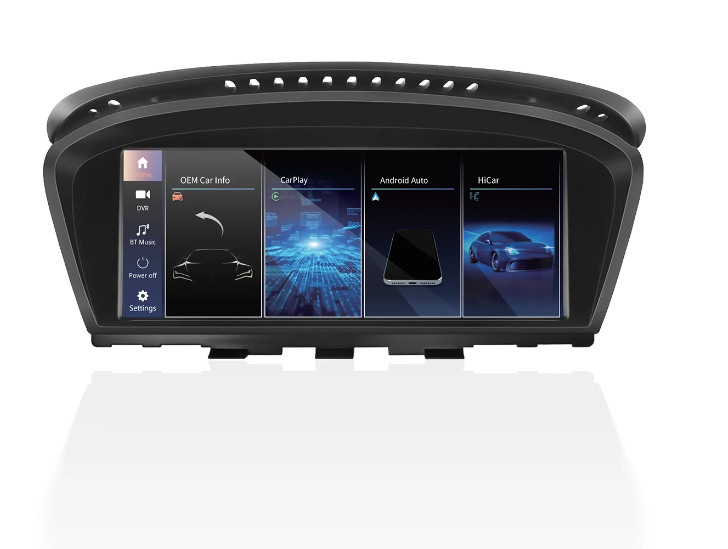
No Cutting, Splicing or Coding
The easiest upgrade should feel like a swap, not a surgery. Start by removing the old screen. Unplug the existing screen cable. Then connect the new unit using the original car cables. The design is plug-and-play, so there's no need to cut or splice anything. This retrofit system respects your BMW's original wiring. Your idrive system stays untouched. No coding or programming of the car is required. Many retrofit kits ask you to run messy wires or tap into power lines. This one doesn't. Your head unit remains entirely in charge of the core audio and vehicle settings. The new screen simply talks to it cleanly.
Your idrive version needs to be correct, of course. For an E60 with CCC, the original screen cable carries the video signal. The new screen reads that signal and overlays the modern interface. You keep the factory radio and amplifier. The original iDrive and steering wheel controls continue to work as before. The system needs no software changes to the vehicle control unit. You won't lose any original functions, because the original functions never leave the chain. The idrive system manages the vehicle settings, while the new screen just adds the modern interface. The rotary controller still scrolls through menus. Instead of this integrated screen, you might see other retrofit carplay options. Some force you to replace the entire head unit. That adds cost and risk. Others promise a larger display but hide a messy installation. This 8.8-inch unit delivers a neat, factory-like fit. The screen speaks the same language as your CCC system. The multimedia interface maps the new touchscreen to the original controls. So you get a modern screen without relearning how to drive your car.
Decide Between DIY and Professional Fitting
Should you fit it yourself? For many owners, yes. The process is straightforward. Remove the old screen, unplug the original cable, connect the new unit using the original car cables, then fit the screen. You don't need to be a master mechanic. The job is straightforward and rewarding. You'll feel a genuine sense of pride when the retrofit carplay system fires up for the first time. However, not everyone enjoys working with trim panels. If you prefer a guaranteed result with zero hassle, a professional fitting is a sensible option. A specialist will handle the screen connection and make sure the idrive system behaves perfectly. Ask your local installer about their experience with BMW E60 models. Then choose the route that suits your confidence and your schedule. Either way, the upgrade stays clean and reversible. You can return to the stock screen if you ever want to.
The real beauty of this upgrade is that it respects your car's age. You don't need a brand-new BMW to enjoy wireless CarPlay and Android Auto. You just need the right plug-and-play screen upgrade. The easiest way to stay modern is the one that preserves the original character of your car. No cutting. No splicing. No coding. Just a sharper screen, a stable connection, and all the modern apps you use daily. The display stays crisp, while the rotary controller keeps the experience familiar. That's the definition of a true plug-and-play installation. It works because it was built for your car, not against it.
Assess Screen Quality and Daily Performance
Resolution and Touchscreen Responsiveness
The old BMW screen looks out of date. The 8.8-inch touchscreen fixes that. It gives you a high-definition display. That sharper display makes text clear and maps easy to read. This screen changes the cabin. Touch response feels instant. Menus open fast. You scroll through music lists without any lag. The old pixelated screen feels ancient next to it. The screen connects straight to the original head unit.
CarPlay and Android Auto both gain from the sharper panel. Icons look neat. Text stays clear. The user interface stays simple and easy to follow. You also get both CarPlay and Android Auto built in wirelessly. The original rotary controller still works next to the touchscreen. You can use either one. The touchscreen is great for quick taps. The rotary controller gives you precise control. The screen connection carries the video signal to the new display. This link keeps everything in sync.
Fast Boot and Stable Operation
You don't wait around with this upgrade. The system boots quickly. That makes it handy for daily use. The screen wakes up fast. You get straight to your navigation app. No long loading screens. This speed changes how you feel about the car.
The system runs steady too. It doesn't crash or freeze. Your original head unit stays untouched. The new screen works alongside it, not against it. The connection stays consistent. You keep all factory functions. Apple CarPlay fits smoothly with the existing controls. You don't need a separate android auto kit. Touch inputs stay in sync.
The rotary controller still controls the menus. You switch between the original interface and CarPlay with ease. The user interface adjusts to your preferred method. That's where resolution and performance come together. You get a sharp screen, fast boot, and stable operation.
Budget for Your BMW E60 Screen Upgrade
Price tags range from just under £300 to more than £450. A bmw e60 screen upgrade at the lower end can still serve you well. Iceboxauto sells a CCC unit for the E60 at £299.99. That price includes wireless Apple CarPlay, wireless Android Auto, and an 8.8-inch touchscreen. It also keeps your original iDrive controls. Integrated Automotive lists a similar CCC retrofit for the 6 Series at £445.00 to £455.00. Same idea, different badge.
Here's a quick look at two examples:
Seller | Product | Price |
|---|---|---|
Iceboxauto | E60/E61/E63/E64 CCC wireless CarPlay and Android Auto | £299.99 |
Integrated Automotive | 6 Series CCC CarPlay and Android Auto retrofit | £445.00 – £455.00 |
Compare Prices and Hidden Extras
The sticker price never tells the whole story. Cheap units can mean expensive surprises. Check what comes in the box. Does the seller include a reversing camera? Do they charge extra for the wiring loom? Is delivery free? A unit with steep shipping can cost more than a higher-priced one with free delivery.
Fitment adds another layer. DIY saves you labour costs. Professional fitting costs extra. Add that to your total before you decide. Warranty matters too. A short warranty leaves you exposed. A trusted seller offers a longer guarantee. You pay a little more, but you sleep easier.
Buy From a Trusted Seller
Start with BMW owner forums. Real owners share real experiences. They mention slow boot times, faulty touchscreens, and poor support. They also name the sellers worth your money. Use those threads to shortlist suppliers.
Then look for verified reviews on the seller's site. Don't stop at the star rating. Read the one-star reviews first. Look for patterns. If several buyers mention a screen that fails to connect, walk away. If buyers mention prompt support, that's a good sign.
Ask direct questions before you purchase. "Do you offer a warranty?" "What's your return policy?" "Does the unit support my E60?" A trustworthy seller answers clearly. A vague answer means trouble.
The cheapest screen upgrade may look tempting. The best value, however, comes from a unit that works reliably, ships quickly, and arrives with support. That's worth paying for.
The easiest route is simple. Pick a plug-and-play bmw e60 screen upgrade that matches your idrive version. Choose the right size, the features you'll use, and a budget you're happy with. Modern tech and original BMW function can live together. Your idrive system keeps working. Your idrive system stays in charge. You lose nothing and gain plenty.
So check your system first. Read owner reviews. Buy from a trusted seller. Do that, and your E60 feels modern again. Your idrive system stays familiar. You get CarPlay, Android Auto, and a sharper screen. That's a clean upgrade you'll enjoy every day.
FAQ
Will I lose the original BMW functions after the upgrade?
No. You keep the original iDrive controls, including the joystick and command button, plus the steering wheel controls. The unit doesn't touch the vehicle control unit, so nothing original disappears.
How do I know which iDrive system my E60 has?
Check the production date. CCC ran from December 2003 to November 2008. CIC came after. Look at the main menu too. Four tiles around a central 'i' means CCC. A list with a red border means CIC.
Is the installation really plug-and-play? Do I need coding?
Yes, it's plug-and-play. You remove the old screen, unplug the original screen cable, and connect the new unit with the original car cables. No cutting, no splicing, no coding. The job is straightforward.
How fast does the screen boot up?
The system starts quickly. That makes it great for daily use. You get straight to your navigation app without long loading screens.
Can I still use the original rotary controller?
Yes. The rotary controller, joystick and steering wheel controls keep working. You can use the touchscreen for quick taps or the rotary controller for precise menu control. Both work alongside CarPlay and Android Auto.
See Also
Upgrade Your BMW X5 Screen For X6 E70 E71 CCC
Audi A4 B8 3G MMI Plus CarPlay Screen Upgrade Guide
How To Upgrade Your Audi Q5 Screen With Plug And Play Kit